How to upload First Party data
How to upload First Party data
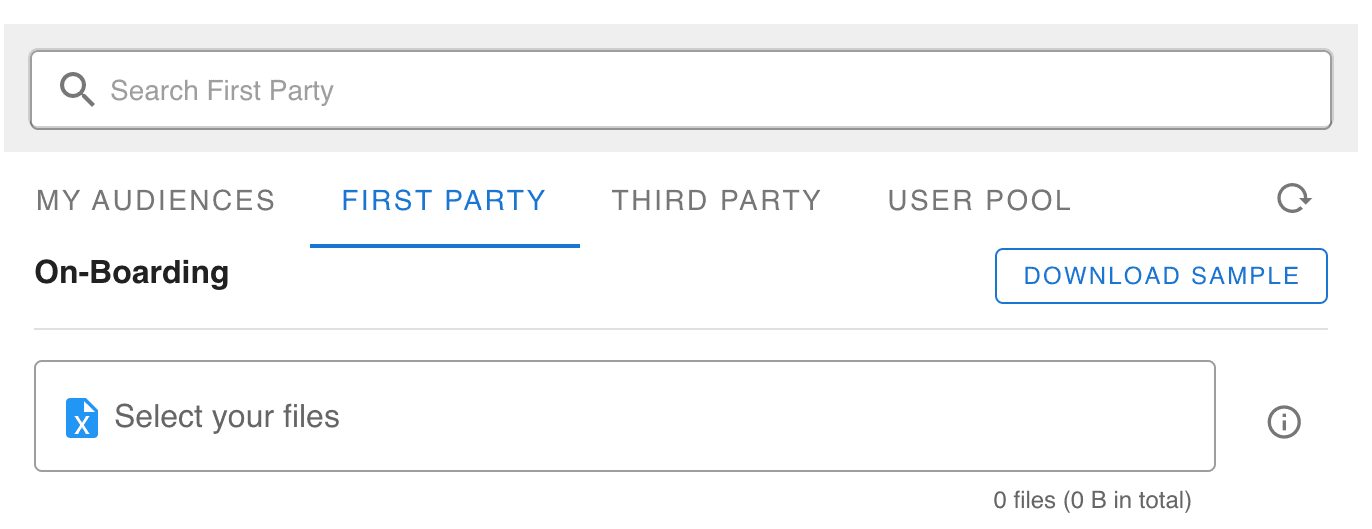
- 1Navigate to the Audience Builder on the left panel
- 2Navigate to the First Party tab located under the search bar
- 3Click on the Download Sample button for a file containing LiveRamp's specific column headers needed for processing

- 4Important: If the column headers are not identical to what is in the downloaded sample, LR processing may become paused or fail.
- 5If you cannot fill out a provided column, simply leave it empty. Do NOT delete the column from your file.
- 6Once your file meets sample requirements, upload it to the first party tab by clicking "Select your files".
- 7Your file will begin processing and status can be monitored in the table below. This process typically takes 1-3 days.

Ready to Transform Your Advertising?
Built for performance marketers, BlockVantage steers every step of your programmatic workflow — from launch to optimization — in just a few clicks.
Get Started Free