Media Explorer
Media Explorer is designed to enhance media planning and execution by providing tools for inventory selection, audience size estimation, and forecasting. It all
Media Explorer is designed to enhance media planning and execution by providing tools for inventory selection, audience size estimation, and forecasting. It allows users to explore available publishers, filter by devices, review estimate reach, and save templates for future use across campaigns.
- 1From the Audience Builder section, select Media Explorer.
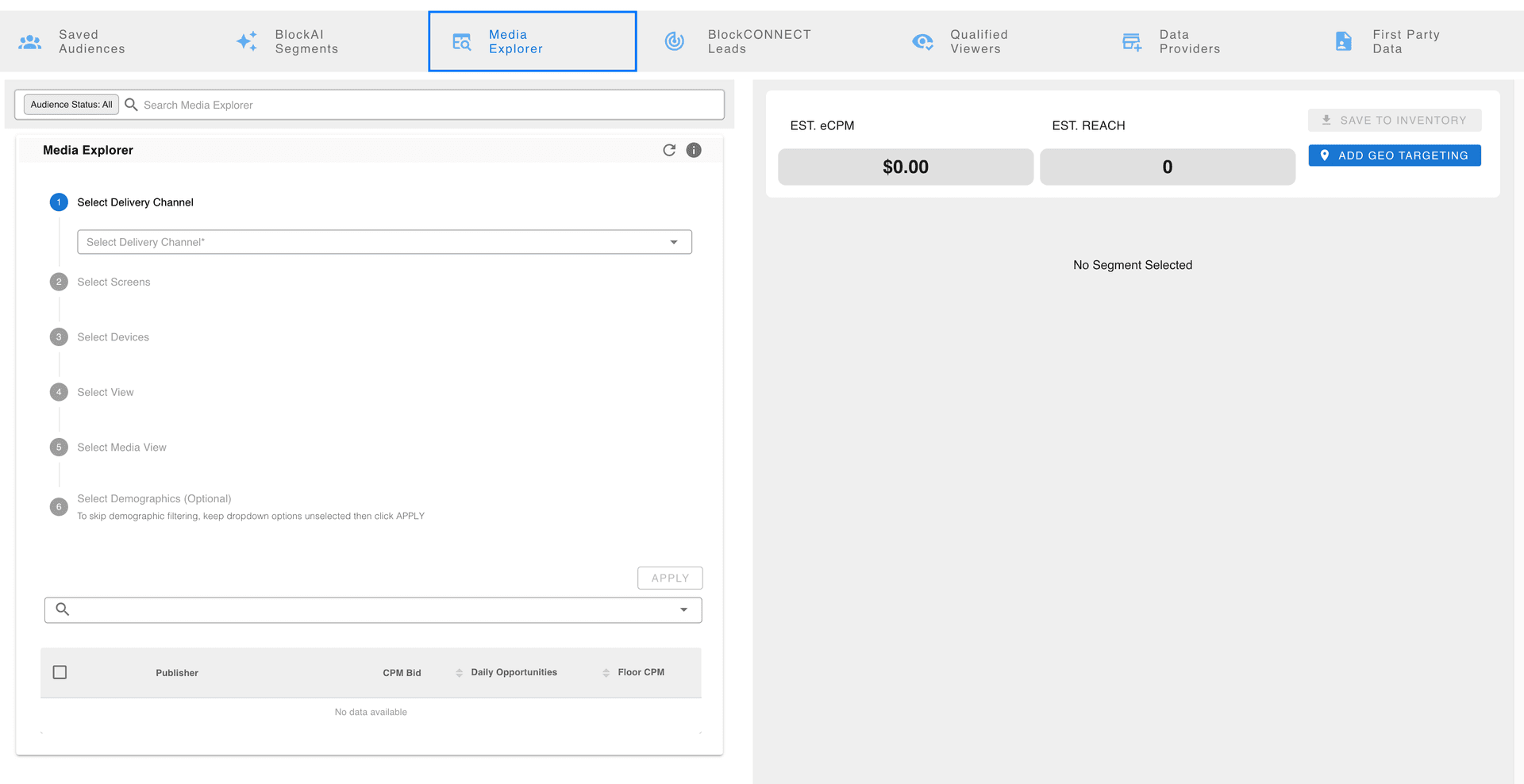
- 2Media Explorer offers a range of inventory options and filters to refine your audience:
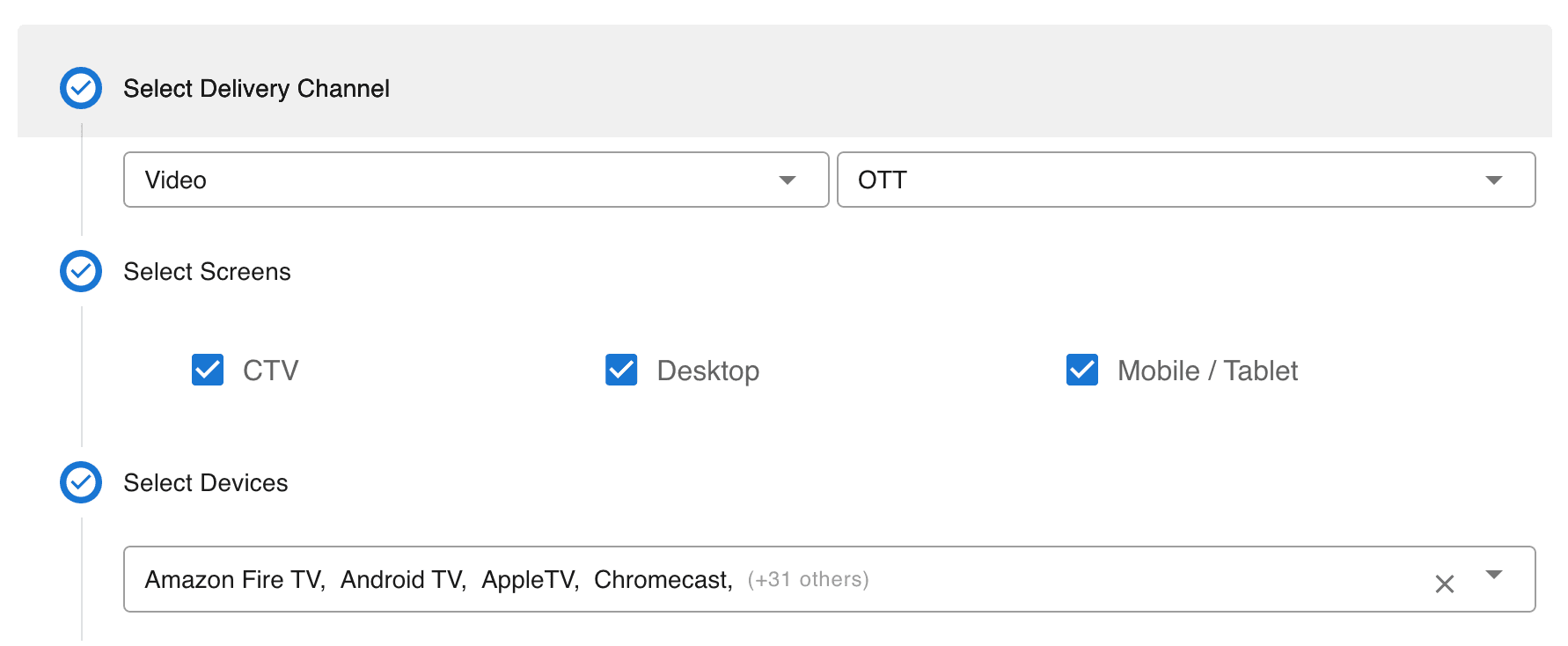
- Choose Inventory Types: Select specific types of inventory based on the devices or platforms you want to target, such as connected TV (CTV), mobile, or desktop. Each inventory type can be filtered to ensure device-based targeting aligns with campaign goals.
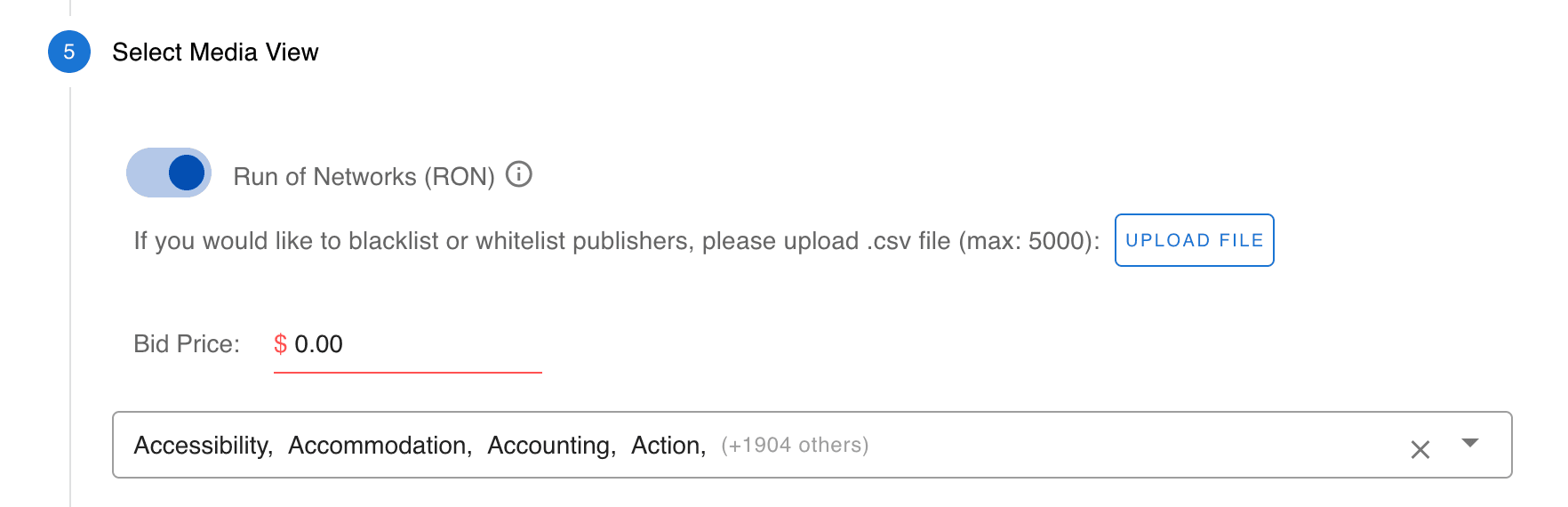
- Run of Network (RON): Select Blockboard's entire publisher network, upload a whitelist, and filter by bid prices.
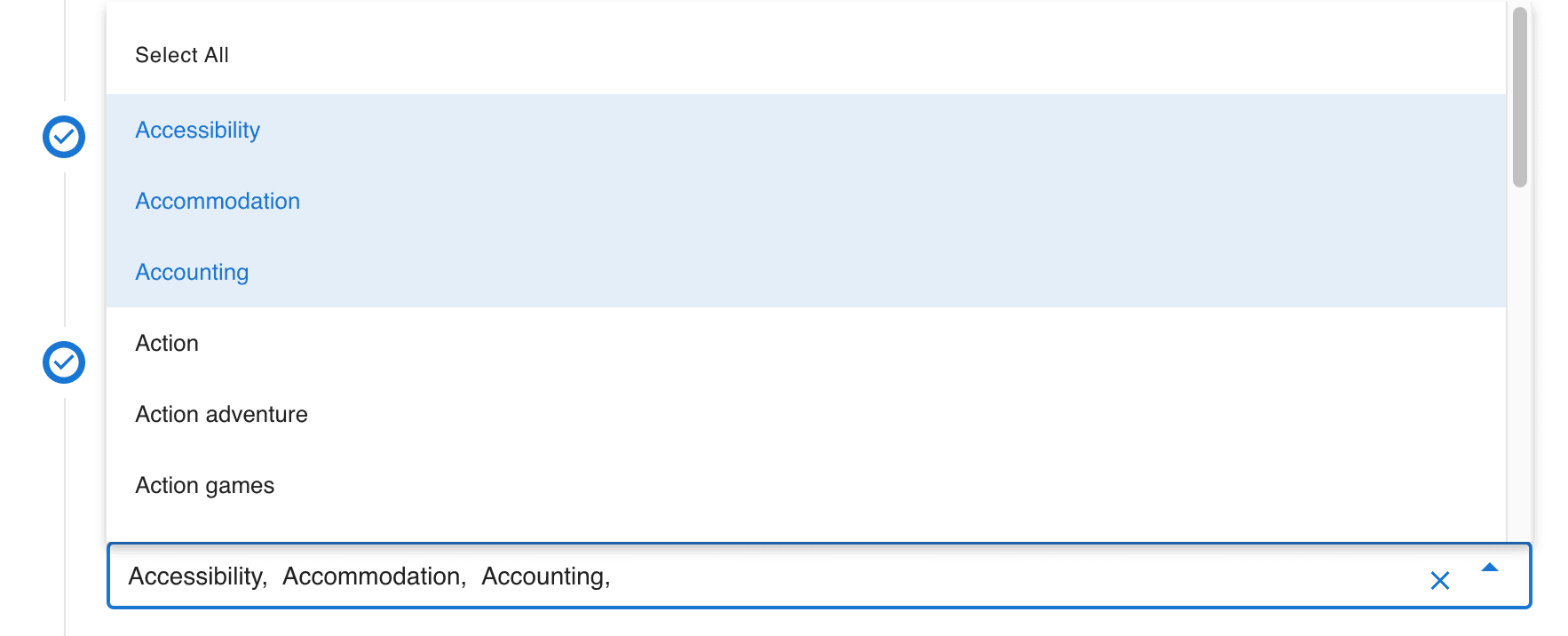
- Select Media Categories: Search and choose from a dynamic list of media categorized subject, like "agriculture" or "fragrances."
- Choose media view: Choose publisher domains or specific programs that match your criteria.

- Filter by Demographics: Apply demographic filters based on age, gender, and income to your media searches.
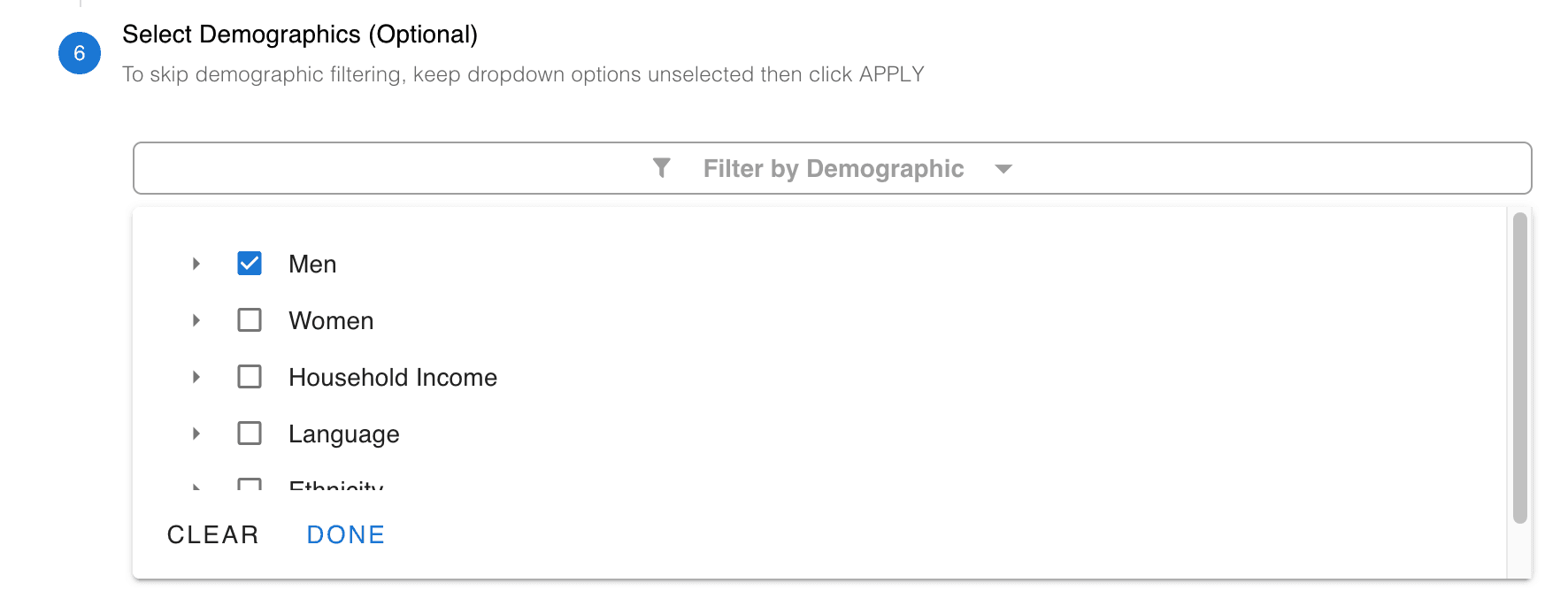
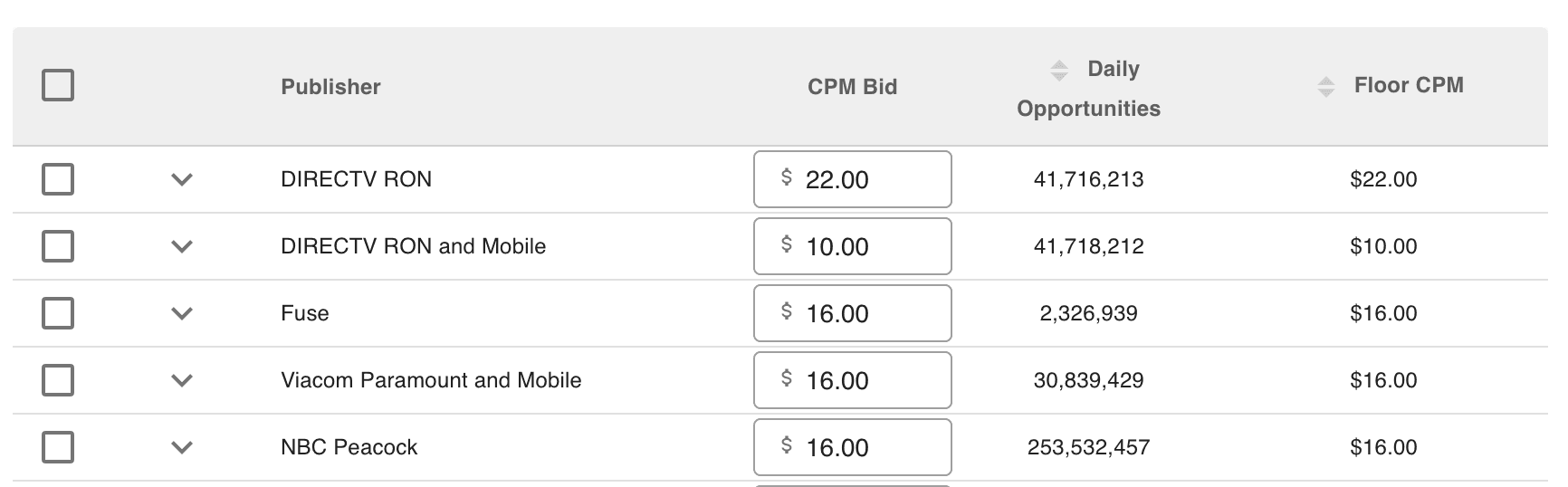
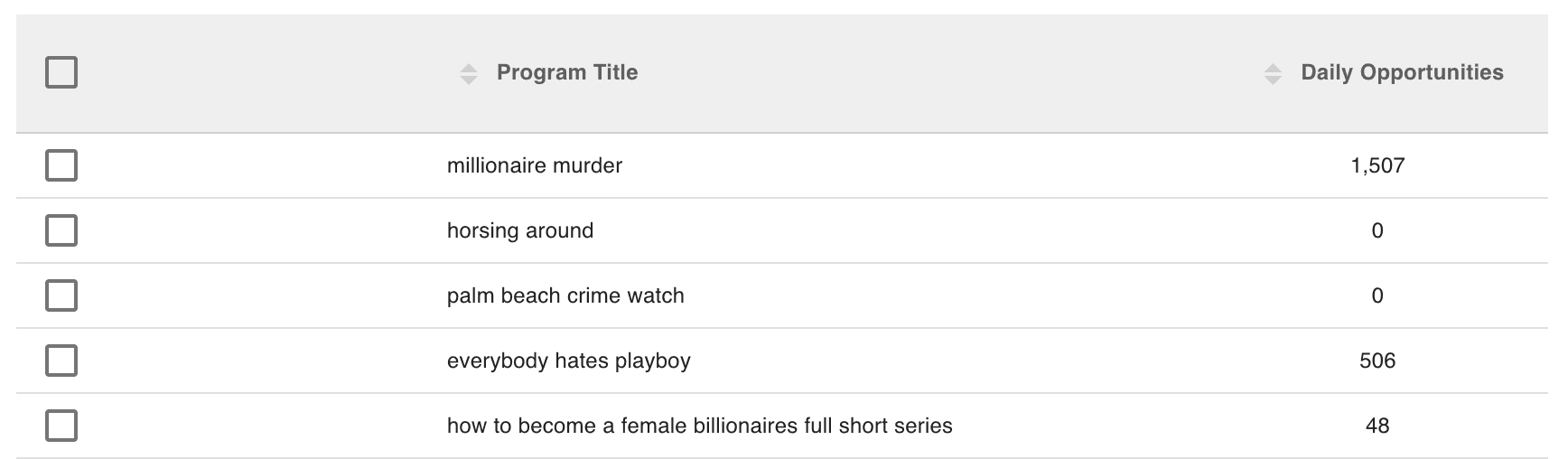
When you have made your selections, click the Apply button to see your media choices in the table below. Note: Any changes that are made to your list of choices will need to be updated by clicking the Apply button again.
PUBLISHER VIEW (example)
PROGRAM VIEW (example)
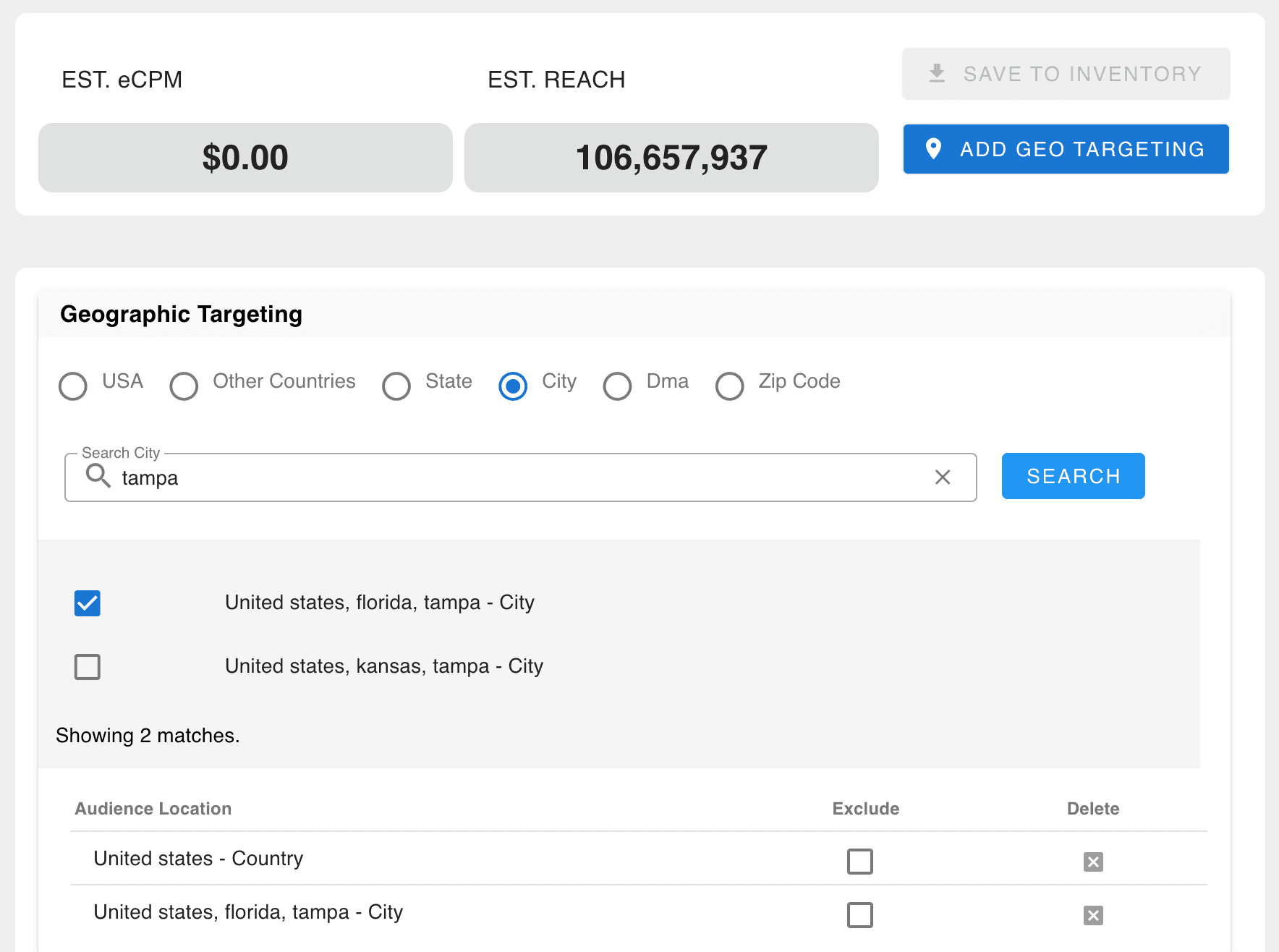
As you make selections, the tool provides real-time audience size estimates based on your chosen criteria. Adjustments to publishers and inventory type will automatically update the estimated audience size, giving you instant feedback on potential reach.

after choosing media (Publisher or Program)

- 1Finally, users have the ability to specify geo-targeting parameters when exploring estimated audience reach, by clicking on the ADD GEO TARGETING button. For campaigns that need location-specific targeting, use geo-targeting options. Choose from country, state, city, or zip code levels. Geo-targeting helps narrow down your audience based on geographic boundaries, so only relevant users in your chosen regions are included.
- 2Users have the option to save their finalized selection to an Audience Group.
- 3Once saved, users can use this saved audience group on the Ad Group level.
- 4From the Media Allocation window, choose Select pre-built media, then find the name of your saved audience.
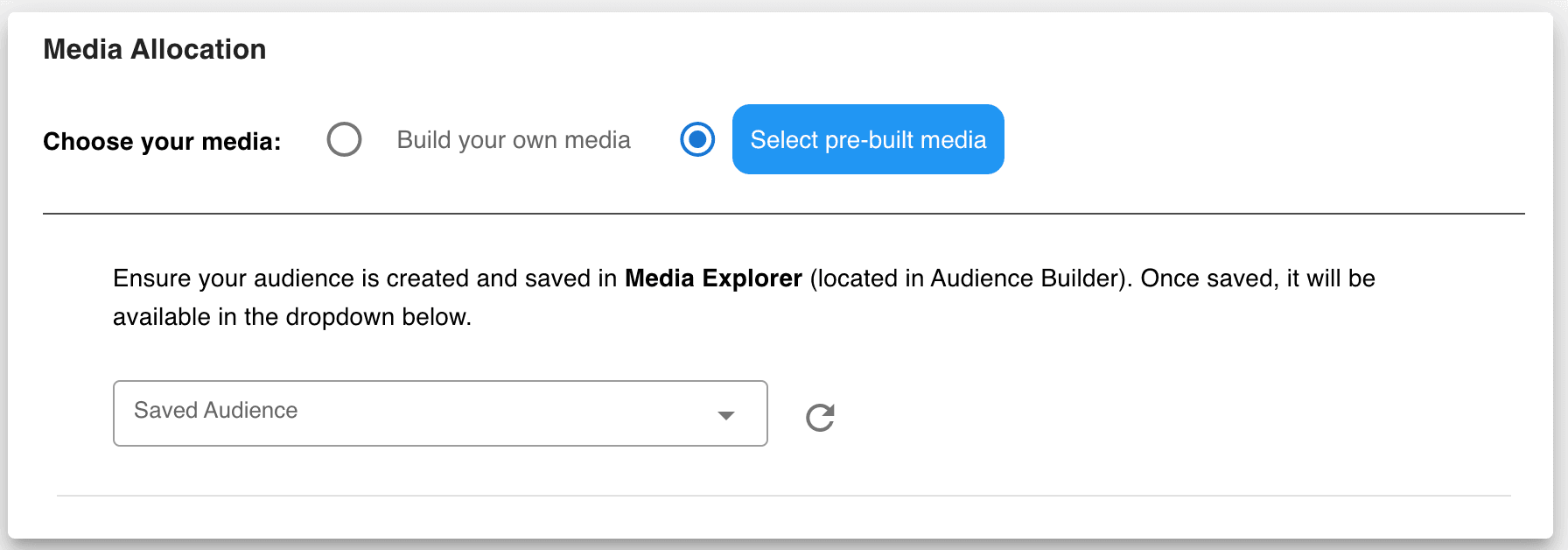
Example 1
When using pre-built media, in the Media Allocation window, publisher and device selections are grayed out and not available, because these choices have already been made in the Media Explorer.
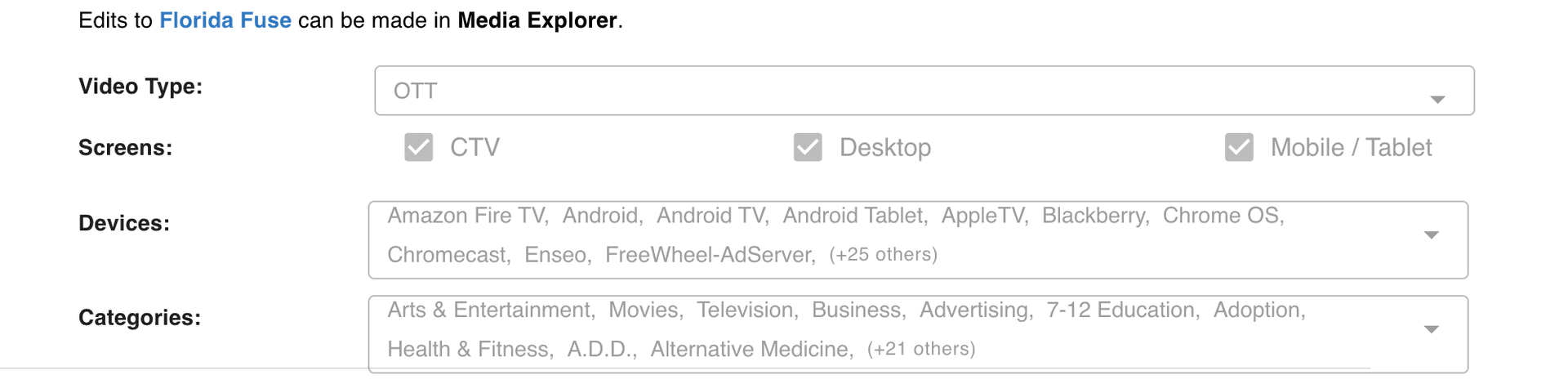
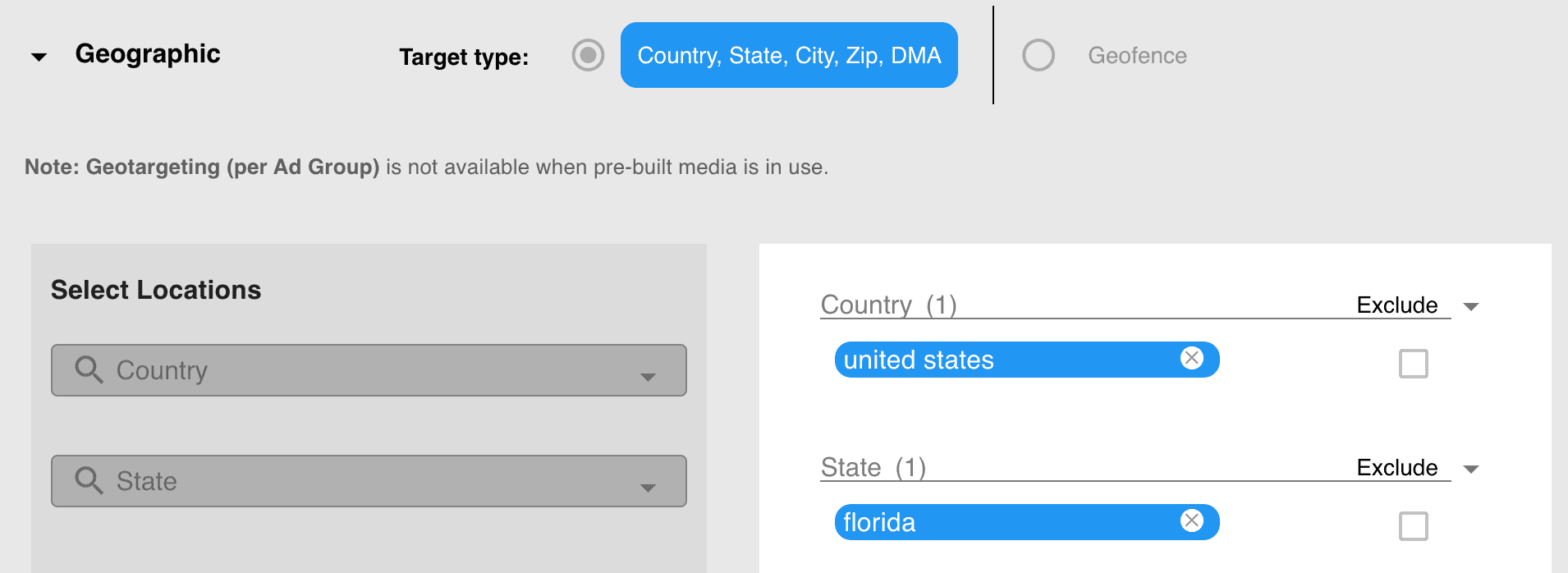
Example 2
When using pre-built media, in the Geographic targeting window, Country, State, City, DMA, and Zip code selections cannot be altered, because these choices have already been made in the Media Explorer.

Built for performance marketers, BlockVantage steers every step of your programmatic workflow — from launch to optimization — in just a few clicks.
Get Started Free