Populating the Overview Tab
By default, your OVERVIEW TAB will be selected to LIVE
By default, your OVERVIEW TAB will be selected to LIVE
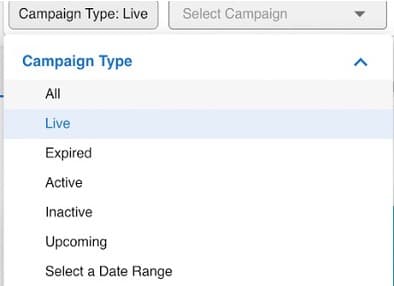
If your campaign is Live:
- 1Click Select Campaign to see all live campaigns
- 2Select a Campaign from the dropdown menu
If your campaign is not yet Live:
- 1Click on the Campaign Type filter and select all
- 2Select your Campaign from the dropdown menu
Your campaign data will then populate each widget on the overview page – scroll down to view details on your campaign’s impression delivery, top performing publishers, and much more
Overview Tab - Delivery and Performance The delivery and performance widgets at the top of the dashboard update in real-time with the campaign manager! Data is pulled directly from there. "Real-time" meaning data is refreshed every 5 minutes. (Can use any start-date to present in the date filter)

Built for performance marketers, BlockVantage steers every step of your programmatic workflow — from launch to optimization — in just a few clicks.
Get Started Free