Publisher Properties
When analyzing and selecting publishers, users have the ability to drill down into each publisher to reveal the publisher subcategories contained within.
When analyzing and selecting publishers, users have the ability to drill down into each publisher to reveal the publisher subcategories contained within.
Example:
When selecting the main Discovery publisher, the user will have access to all Discovery media, with 4,936,641 total Daily Opportunities.
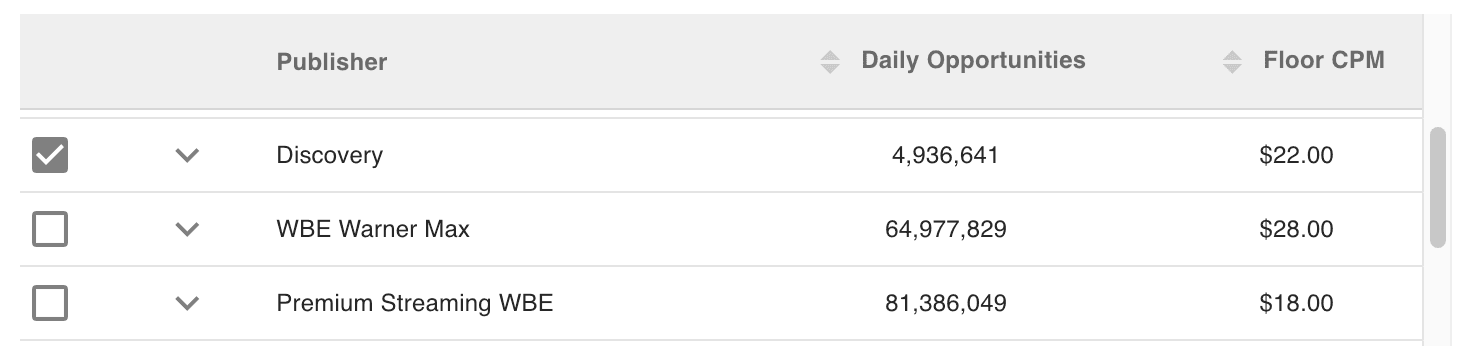
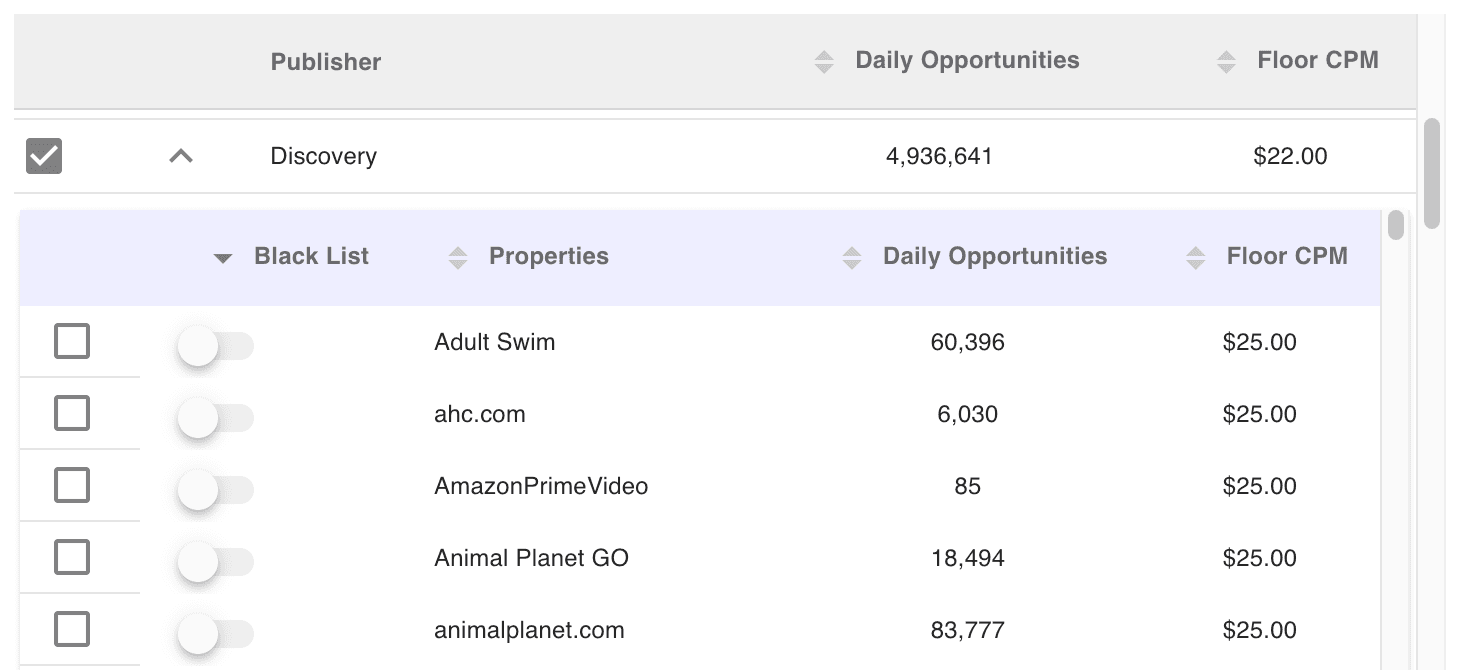
The user also has the option to open up the Discovery publisher by clicking the down arrow.
Here we see the individual properties, such as Adult Swim, animal planet.com, etc...These individual properties can be individually selected or exclude using the Black List toggle.
This gives the user the ability to further refine and fine-tune their campaign.

Built for performance marketers, BlockVantage steers every step of your programmatic workflow — from launch to optimization — in just a few clicks.
Get Started Free